
Use from AI assistants
xDBML ships a hosted Model Context Protocol (MCP) server, so an AI assistant can render and validate xDBML for you as native tools rather than guessing at a diagram. It is a remote, public server -- no install and no key:
https://xdbml-mcp.xdbml.workers.dev/mcpIt exposes two tools. render_xdbml turns a schema into an SVG diagram and a link that opens it in the playground, and validate_xdbml checks a schema and reports errors and warnings with their line and column, without rendering. A natural loop is to have the assistant draft a schema, validate it, fix what it flags, then render.
Claude
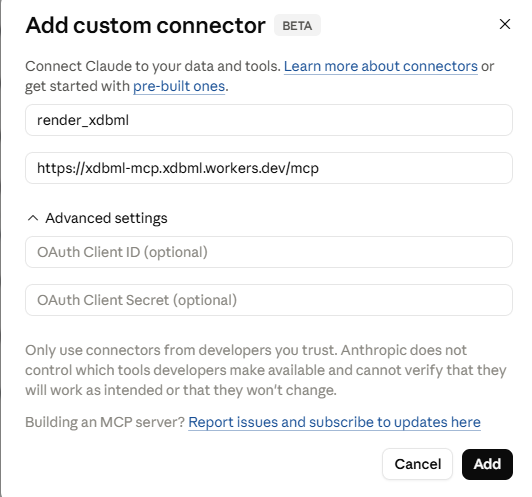
Open Settings, then Connectors, choose Add custom connector, and paste the URL above. Claude lists render_xdbml and validate_xdbml and can call them in a conversation. For a client that only speaks local stdio, such as Claude Desktop, bridge to the remote server with mcp-remote.
Add custom connector:
Allow to use:

ChatGPT
Custom MCP servers live behind ChatGPT's Developer Mode, on the Plus, Pro, Business, Enterprise, and Edu plans. Open Settings, then Apps (older builds say Connectors), then Advanced settings, and turn on Developer mode (a Business or Enterprise admin enables it first). Create a custom connector with the URL above and no authentication, then enable it per chat from the composer's Developer Mode menu.
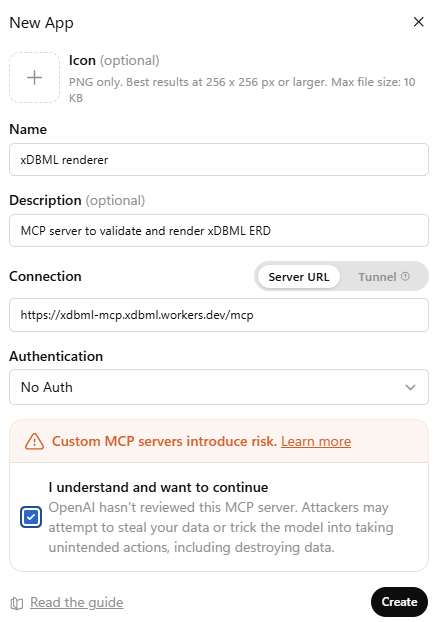
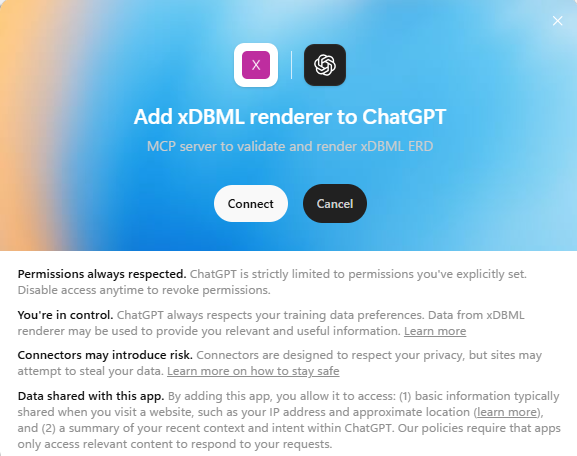
Accept to connect
Then allow access
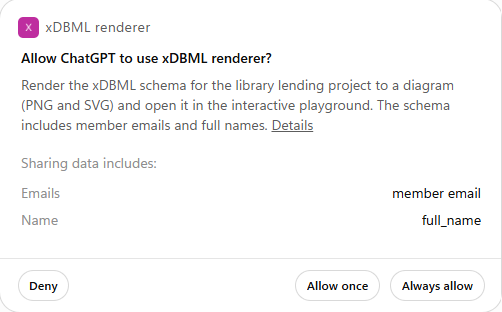
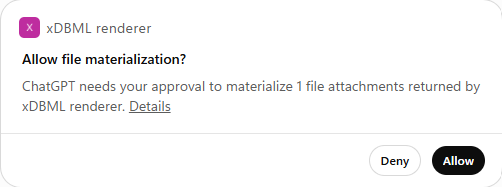
And allow the file materialization
GitHub Copilot
Copilot uses MCP in agent mode. In VS Code 1.99 or later, add the server to .vscode/mcp.json, noting that the root key is servers:
{
  "servers": {
    "xdbml": { "type": "http", "url": "https://xdbml-mcp.xdbml.workers.dev/mcp" }
  }
}
Start the server, open Copilot Chat, and switch to Agent mode. The same entry works in Visual Studio, the Copilot CLI, and the Copilot cloud agent. On Copilot Business or Enterprise, an admin enables the "MCP servers in Copilot" policy first.
Mistral Le Chat
Le Chat accepts any remote MCP server. Open Connectors, click Add Connector, switch to the Custom MCP Connector tab, name it, paste the URL above, and choose No authentication. In organizations an admin controls connectors, and plan availability for custom connectors has shifted, so check Mistral's current terms.
Grok
On a paid Grok plan, go to grok.com/connectors, click New Connector, choose Custom, and enter the URL above. Grok discovers the tools and uses them in chat. The xAI API also accepts remote MCP tools for programmatic use.
Gemini
Google's consumer Gemini app does not yet let you add a custom MCP server. You can use the server from the Gemini CLI (add it to ~/.gemini/settings.json), from Gemini Enterprise (an admin registers it), or from the Gemini API. For a quick one-off in the app, use the HTTP render API instead.
Meta AI
Meta's consumer assistant is not an MCP client, so there is nothing to connect there. With Llama models you can reach the server through a developer framework (Llama Stack, LlamaIndex, LocalAI, or your own code), or call the HTTP render API directly.
Try it
In a chat where the connector is enabled, ask:
Using the xDBML tools, first call xdbml_reference (or read https://xdbml.org/llms.txt) so you author xDBML. Then design a small library-lending schema (members, books, copies, loans, with primary and foreign keys) using xDBML constructs where they fit and display the xDBML block. Then validate it, render it, and give me the playground link.
Pointing the assistant at the reference matters: assistants that do not yet know xDBML otherwise fall back to plain DBML, which renders but misses the xDBML constructs. The xdbml_reference tool and the server's built-in instructions both nudge it the right way; the llms.txt link covers assistants that can read a page but are not connected over MCP.
One thing to expect
The diagram does not appear inline in the reply the way a fenced Mermaid block does in clients that support it. The assistant receives the diagram as a tool result and reasons over it, then hands back the playground link, which is the reliable way for you to open and edit it full size. That is a limit of how the assistants display tool results today, not of the server.
For the full reference, including the HTTP render API for custom GPTs and scripts, see the MCP server README and the ecosystem page.